
Add on feature that prevents Google Maps from rerouting automatically
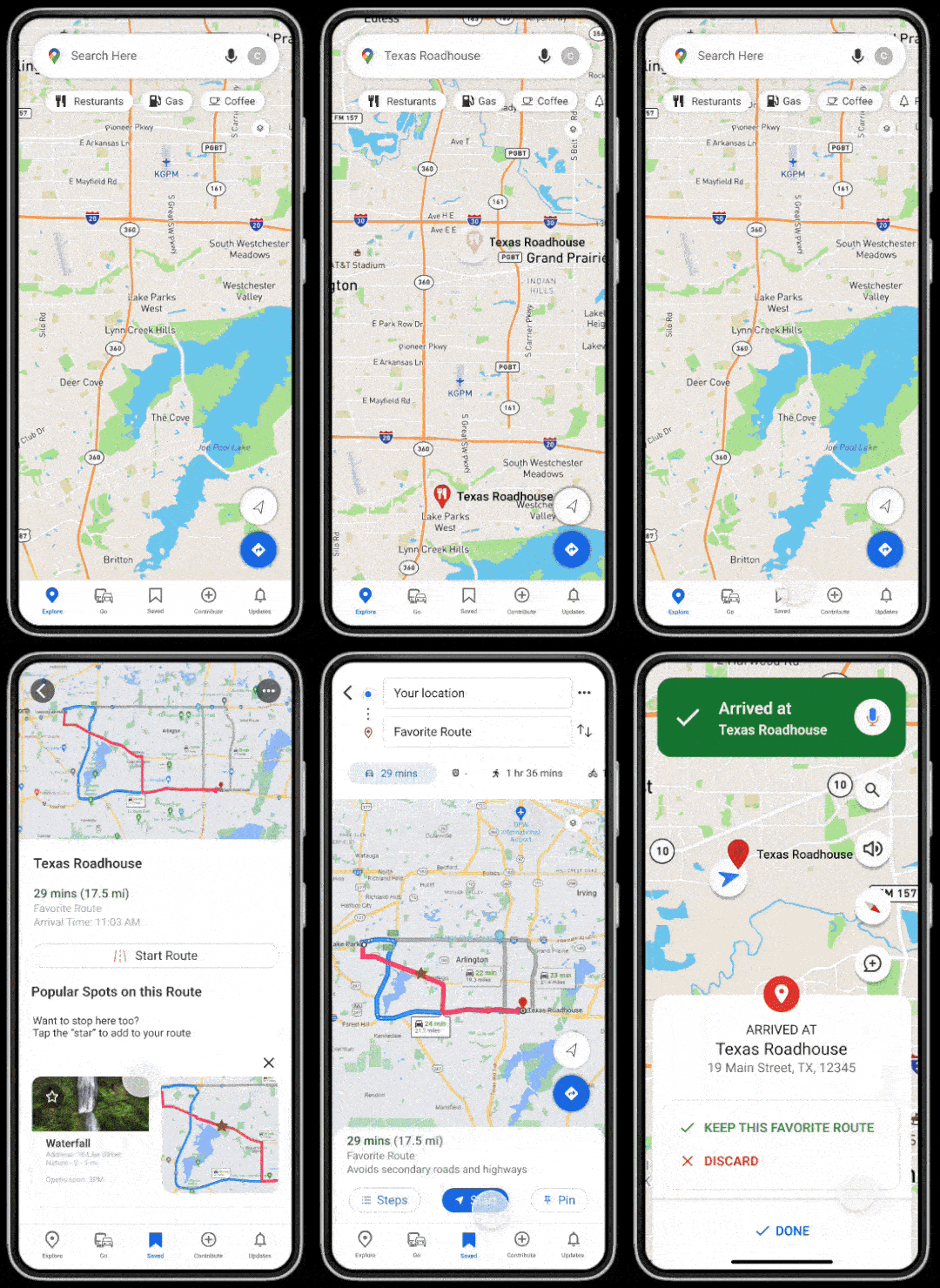
Google Maps Case Study
Lead UX/UI Designer
Figma | HTML | Adobe XD | Photoshop | Gitlab | Design Systems | Whimsical
Google Maps is a widely utilized navigation application that offers comprehensive geographical information and details about locations worldwide. A standout feature of Google Maps is its capability to generate various routes tailored to user preferences for navigating between point A and point B.
Google Maps automatically reroutes if you miss a turn, often directing you along a different path than originally planned. This can be both frustrating and pose a safety hazard for drivers. Drivers may have chosen a specific route due to familiarity with roads or to avoid certain streets. However, Google Maps doesn't always redirect back to the initially chosen route, potentially causing distraction as drivers adjust to an entirely new path.
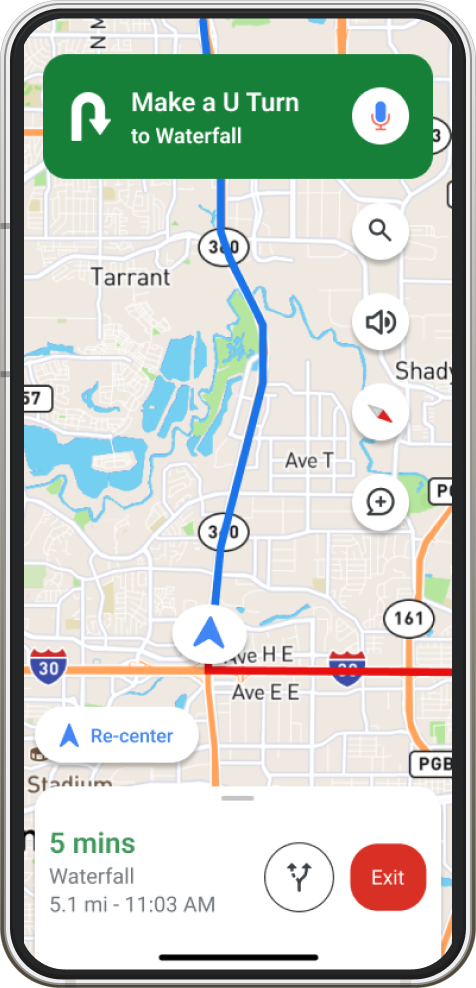
Drawing inspiration from companies similar to Google Maps will aid in designing solutions that meet their specific requirements. I conducted an analysis of three comparable companies to identify successful and unsuccessful strategies they employed.

Apple Maps automatically zooms in on the map as you approach a turn, ensuring you have a clearer view of the upcoming route change. This proactive approach helps minimize missed turns and deviations from your original route.
Google Maps lacks automatic zooming to prevent missed turns, leading to route rerouting and deviations from your intended path. Implementing a "Favorite Route" feature in the saved section could override rerouting settings during navigation, ensuring adherence to your chosen route and reducing unexpected deviations.

Waze enables users to customize their route by selecting specific roads they prefer to take. It then generates a route that incorporates these preferences to ensure you reach your destination via the desired roads.
Google Maps offers options to avoid highways, tolls, or traffic but doesn't allow users to manually select specific roads for their route. Enhancing customization options would empower users to precisely define their preferred routes. Introducing a "Favorite Route" feature could greatly improve user control, allowing them to tailor the navigation experience to their individual preferences and needs.

MapQuest, similar to Google Maps, offers robust navigation features but excels in user-friendly rerouting capabilities. Users with a MapQuest account can save routes and easily access them for consistent navigation experiences.
Google Maps currently allows users to save destinations but does not retain specific routes taken previously. Introducing a "Favorite Route" option in the saved section of Google Maps would enable users to consistently use preferred routes from their history, ensuring they do not inadvertently deviate onto a different path.
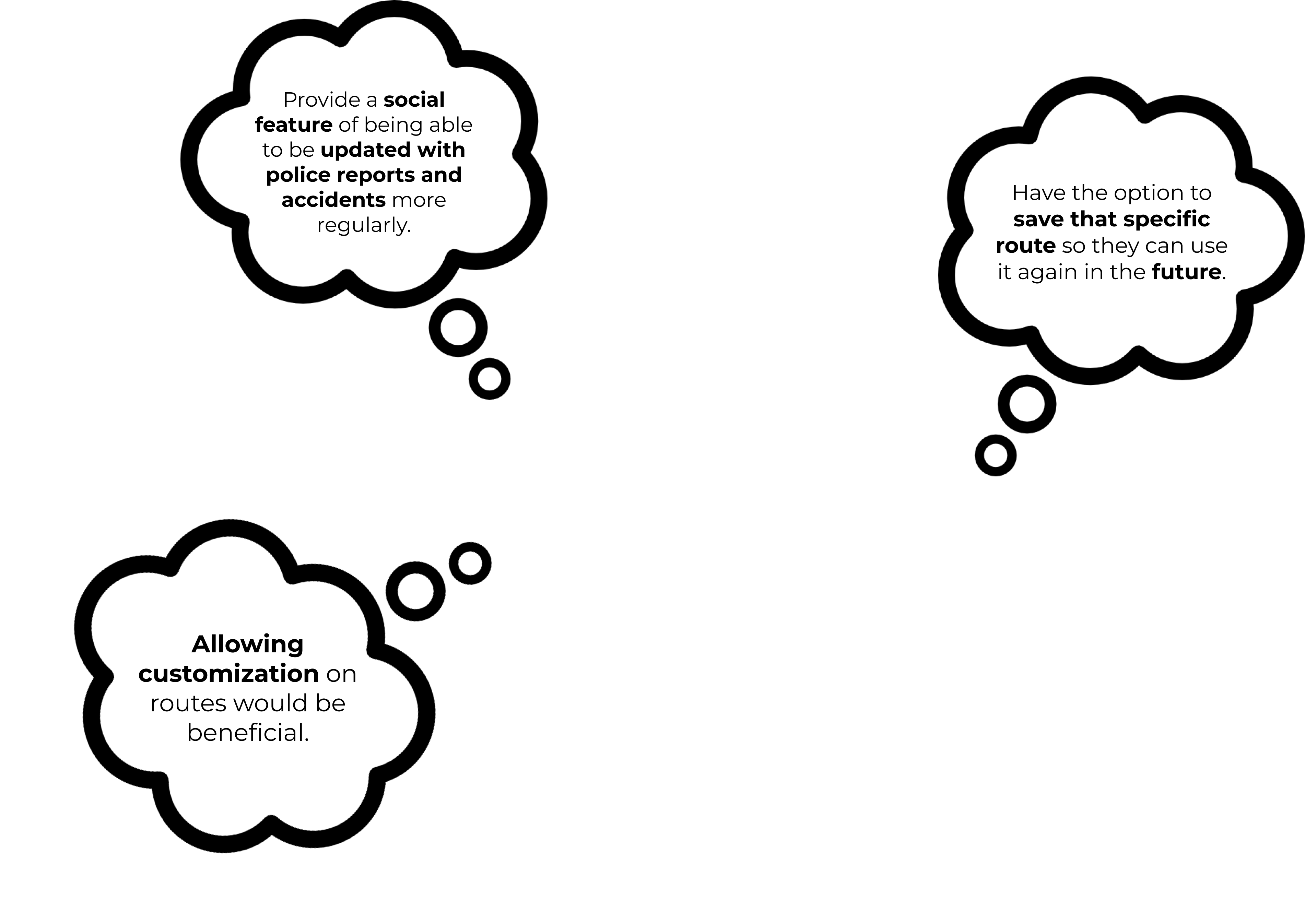
Conducting 1:1 interviews provides me with a fresh perspective and valuable insights into addressing challenges with Google Maps. One significant issue is the inability to customize routes to adhere strictly to the original selection made at the start of a drive. During these interviews, participants evaluated the current Google Maps app, sharing their thoughts on navigation when reroutes occur and how they typically respond to these changes. This approach allowed me to empathize with their experiences and gather actionable feedback for improvement. I interviewed five individuals, aged 30-65, who are experienced in this field and familiar with navigation portals.

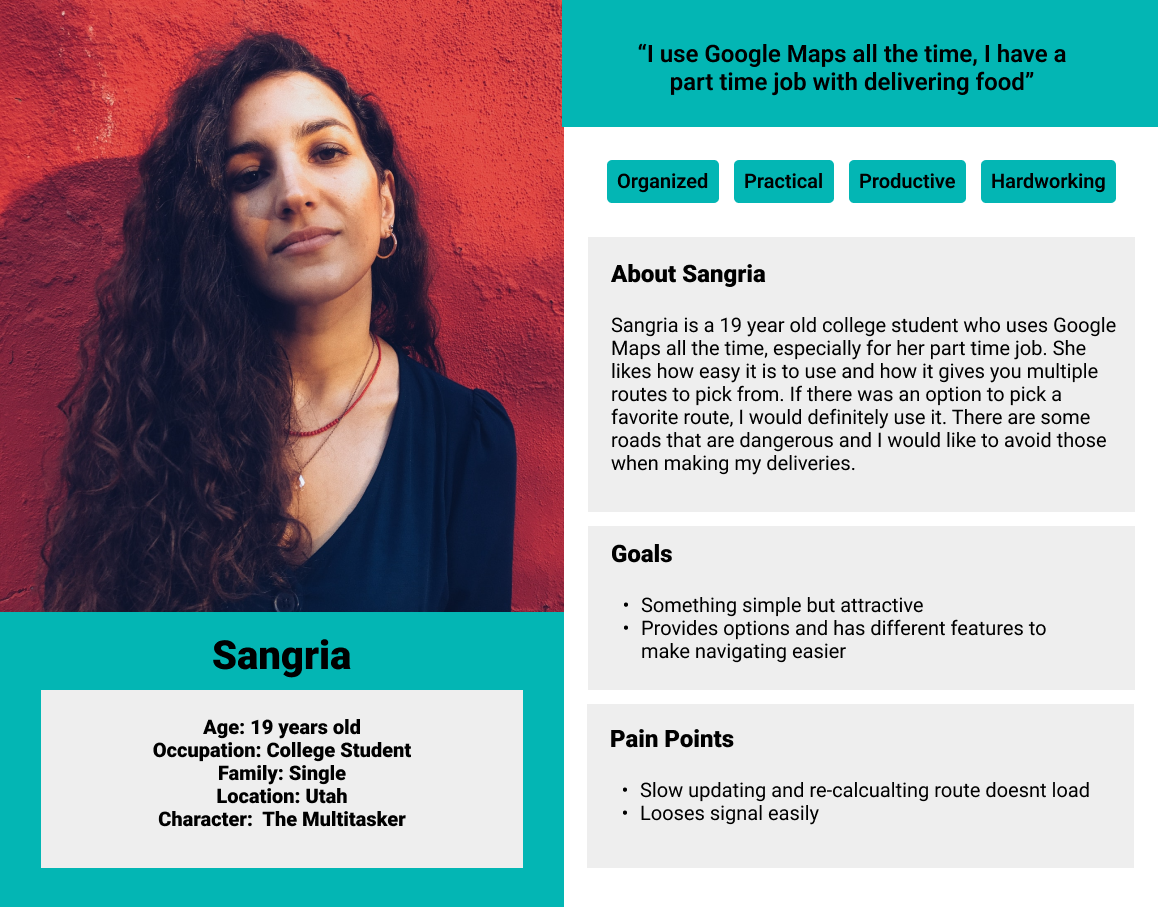
Developing user personas has been crucial in understanding the diverse needs, behaviors, and goals of Google Maps users, particularly in addressing the rerouting issue. Users employ Google Maps in various ways to reach their destinations: some save routes, others manually input destinations, and some select places directly on the map. By categorizing users into these three distinct personas, I gained deeper insights into how rerouting impacts different types of users similarly, enhancing my ability to devise effective solutions for Google Maps.
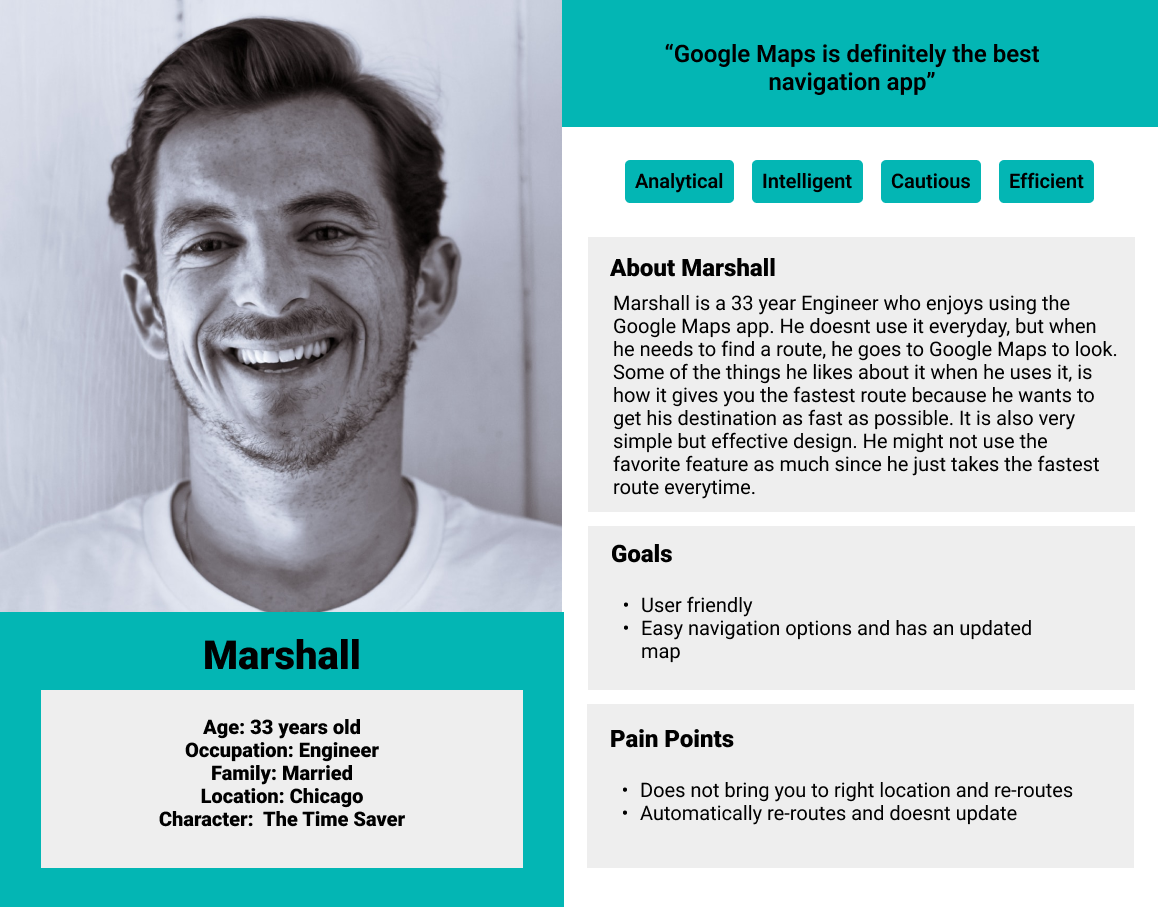

Based on my user research, I developed a comprehensive design strategy using insights from participant feedback, competitive analysis, and user personas. Many Google Maps users are concerned about automatic rerouting causing distraction and loss of focus. Users often prefer specific routes due to road familiarity, highlighting the need for Google Maps to enable a return to the original chosen route after a missed turn. Introducing a "Favorite Route" option would offer users the customization they seek, enhancing navigation with a more personalized and user-centric experience.
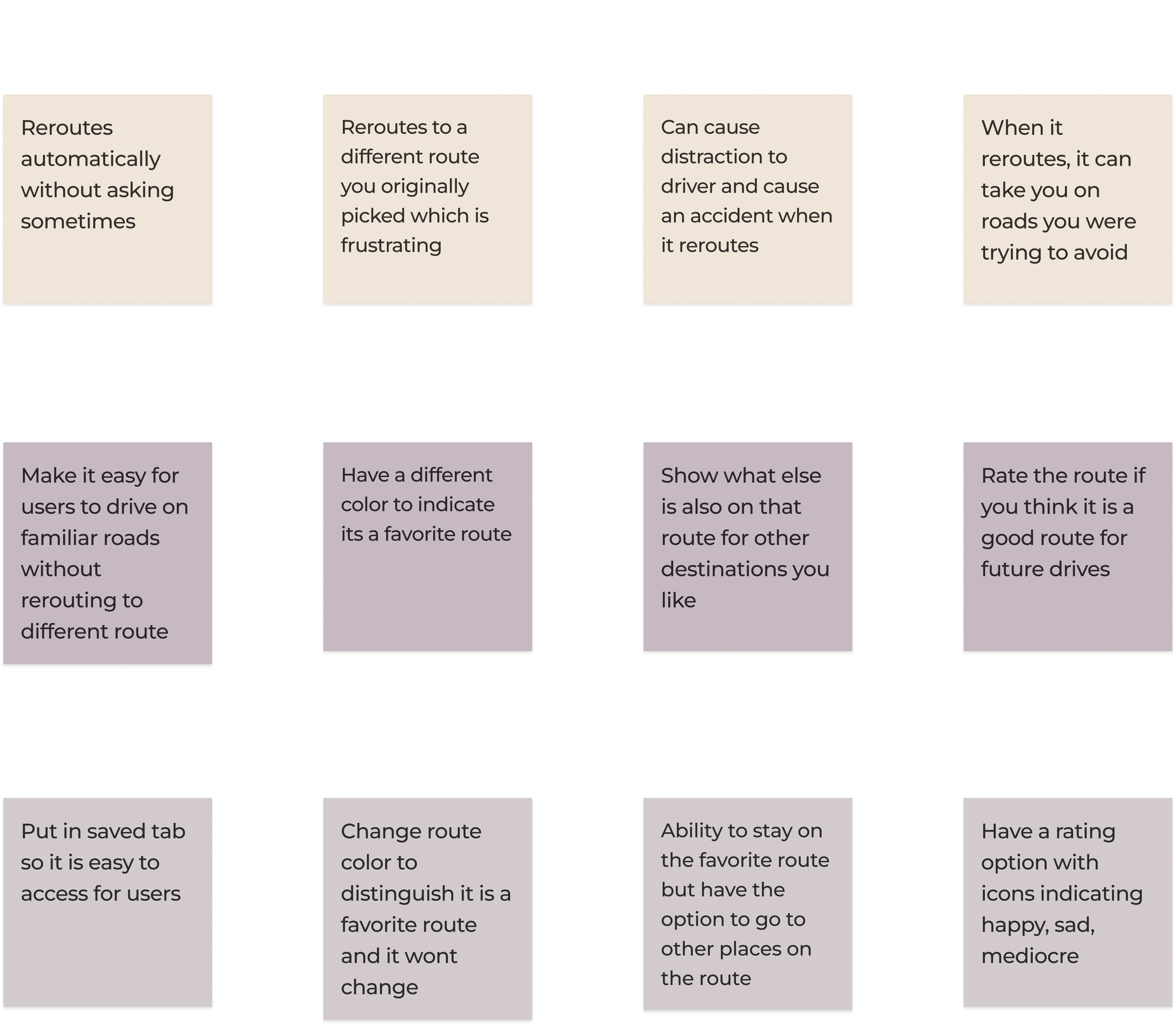
As an additional feature to an existing end-to-end application, maintaining Google Maps' familiar layout was crucial while seamlessly integrating this new functionality. Recognizing its utility as a "Saved" option, I strategically placed the "Favorite Route" feature within this section for easy user accessibility.
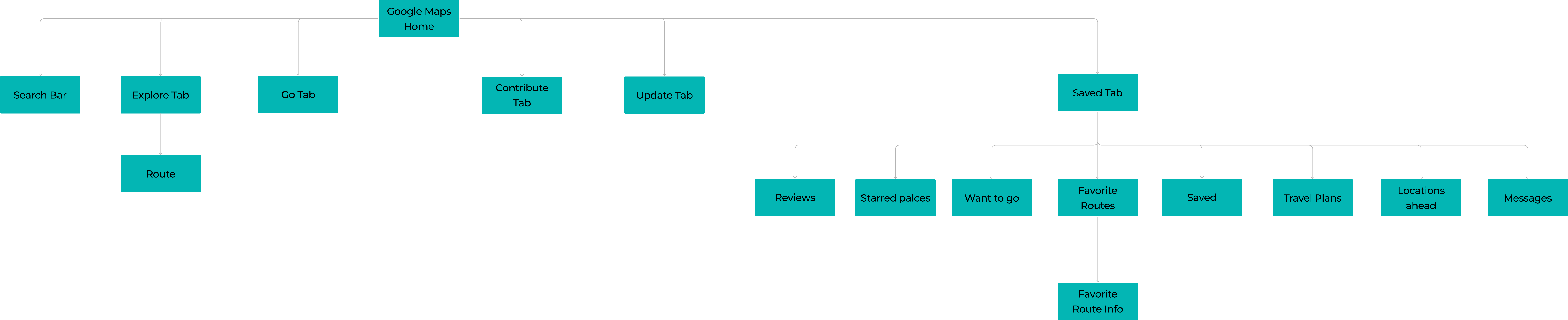
When designing the task flow diagram, I prioritized addressing the pain points identified during data collection with participants. Google Maps' intuitive layout served as a guide, ensuring consistency in navigation flow. I achieved this by maintaining uniformity in actions, buttons, layout, colors, and typography throughout the "Favorite Route" task flow.
.png)
Based on user research, I created a visualization of the user flow for accessing the "Favorite Route" tab. Following Google Maps' current layout, I designed the user flow to seamlessly integrate with both saved and unsaved route searches. I ensured users could easily "favorite" a route for future use and customize it to their preferences. To achieve this, I incorporated familiar Google Maps elements like pop-up questions and buttons such as "Do you want to favorite this route?" or "How was that route?" This approach maintains consistency and enhances user interaction with the feature.
.png)
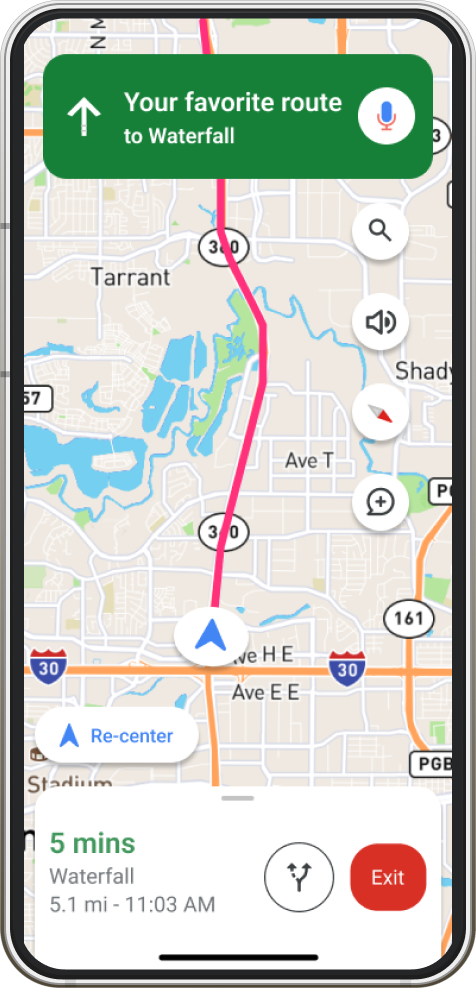
Using developed user stories and a deeper framework understanding, I designed a product that incorporates user experiences and feedback effectively. Google Maps required a "Favorite Routes" option to allow drivers to stay on familiar routes without automatic rerouting. Introducing a dedicated "Favorite Routes" tab prevents unwanted route changes, enhancing driver safety and confidence. Placing this feature under the saved icon seamlessly integrates into the existing Google Maps layout without disruption.

Before integrating color, typography, images, etc., I conducted a usability test to evaluate the product's flow at a low-fidelity stage. This step ensured that the planned features, functions, and overall purpose align with real-life user expectations. Maintaining Google Maps' existing layout was essential to seamlessly integrating this new feature. Feedback from participants indicated that the add-on feature integrated well, although they suggested enlarging or extending the buttons for easier navigation.

After completing the usability test and finalizing robust wireframes for the product, I am now ready to incorporate the UI Kit I meticulously developed into my designs. This process has been guided by my continuous efforts to enhance the product's visual appeal and ensure its overall success.
I've come to appreciate the importance of adhering to the strict constraints of an existing app without disrupting its flow. To achieve this, I meticulously observed the details of the Google Maps app, including icons, typography, color schemes, weight, alignment, and imagery. Integrating my add-on feature, designed as a "save for later" function, fortunately posed minimal challenges due to its natural fit within the existing structure. However, I recognize that finding suitable placements for new features can be a significant challenge in certain applications.
Thank you for visiting my portfolio!
Lets stay connected!


.svg)